Before the call
Phone beside your laptop
Screen up, within reach. Take the call however you normally would, on your laptop speakers.
For iPhone · Sales calls, interviews and technical rounds
Put your phone next to your laptop. Surfbird listens, and tells you the one thing worth saying next. Nothing joins your call, and the audio never leaves your phone.
Nothing joins your call Audio never leaves your phone Works on any call, any platform
How it works
Before the call
Screen up, within reach. Take the call however you normally would, on your laptop speakers.
On device
Speech becomes text on your phone, using Apple's on-device recognition. The audio is never recorded, stored or sent anywhere.
…honestly the current tool only covers about sixty percent of the team, so the rest of us are still…
On your Island
Large on the phone in front of you, which stays awake for the whole call. Short enough to read without breaking eye contact.
Say this nextMirror their constraint, then ask what success looks like.
Four modes
Objections, discovery, next steps. Surfbird notices when they name a constraint and hands you the question that opens it up.
Say this nextName a concrete next step before they end the call.
Tighter answers and the result they'll remember. A STAR nudge when you're drifting, a close when you've made the point.
Say this nextLand the result now — one number, then stop.
Algorithms, system design, the trade-off you are actually being asked for. It hands you the approach and its complexity, not a reminder to think out loud.
Say this nextHash map, one pass — O(n) time and space, beats brute force.
Tell it what the call is and what you want out of it. A performance review, a difficult conversation, a board update — it coaches to your brief rather than to a template.
Say this nextName the number you are asking for, then stop talking.
The app
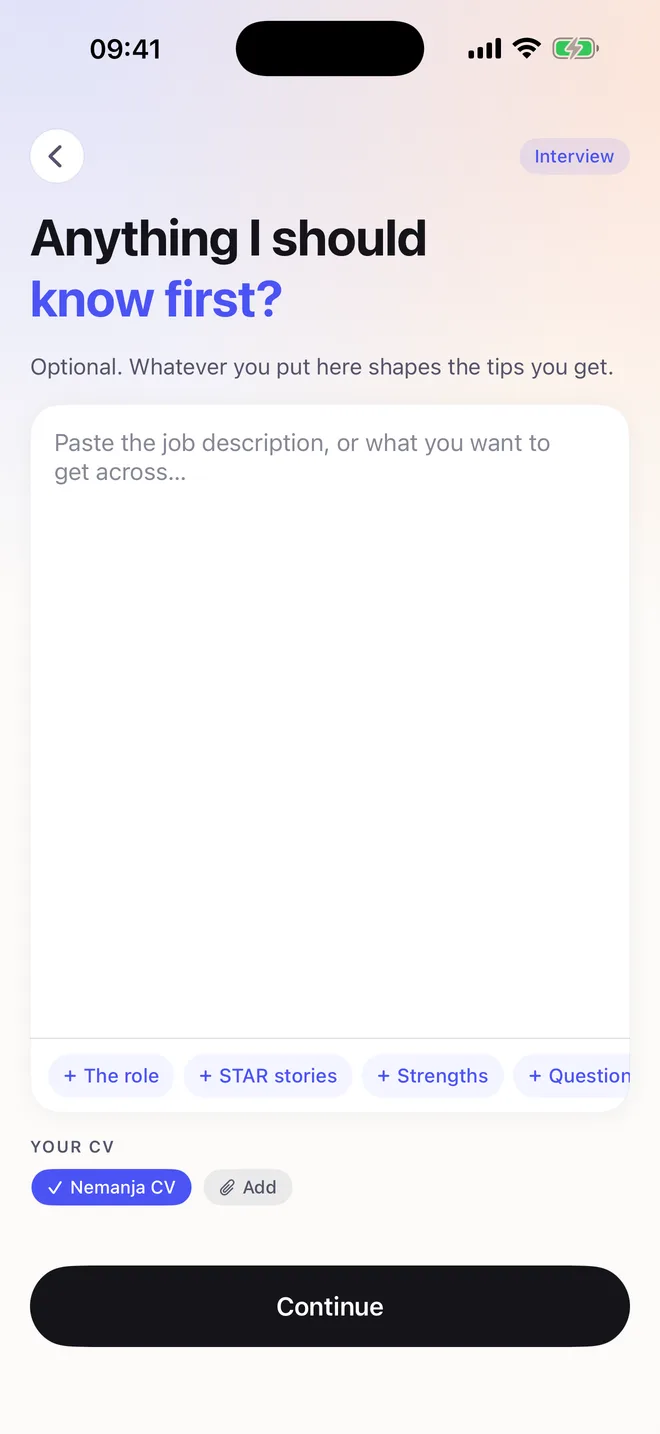
Before it starts
Paste the job description or your talking points, and attach your CV. Surfbird reads it once and coaches from it every call after.
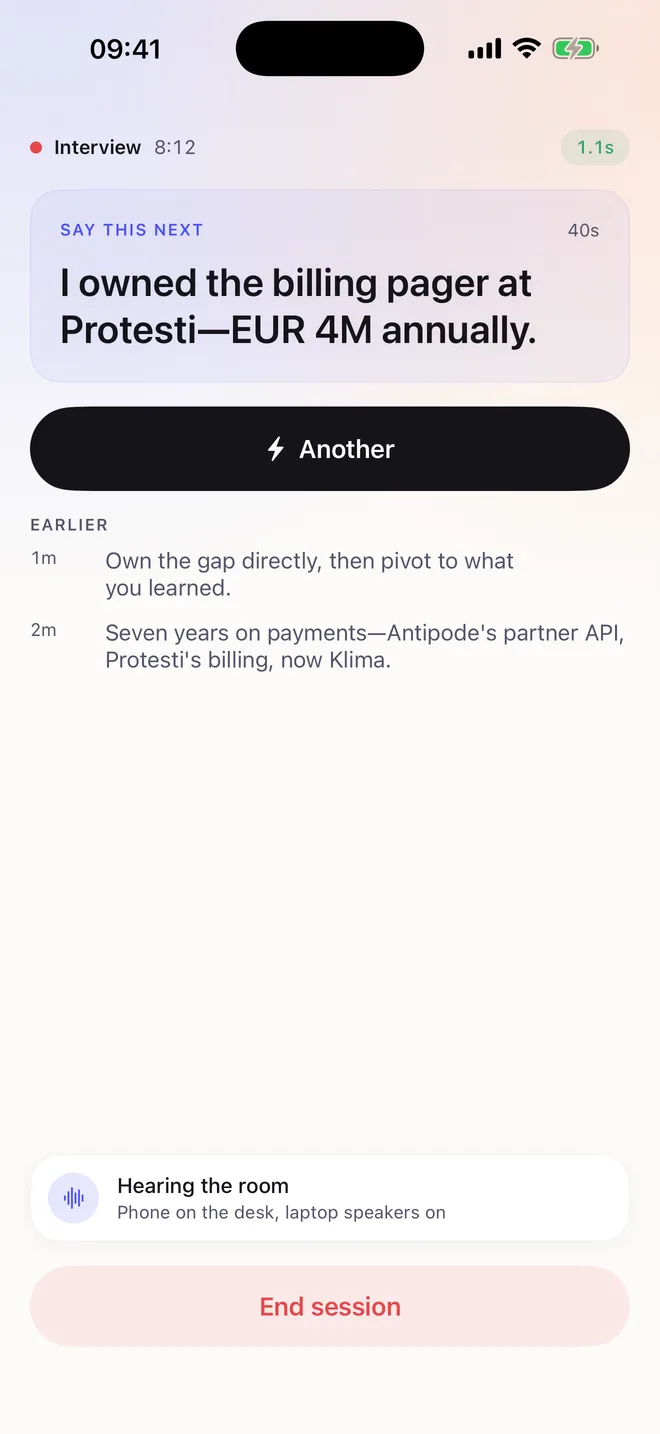
During the call
One line, large enough to read without breaking eye contact. Tap once if the moment has moved on and you want another.
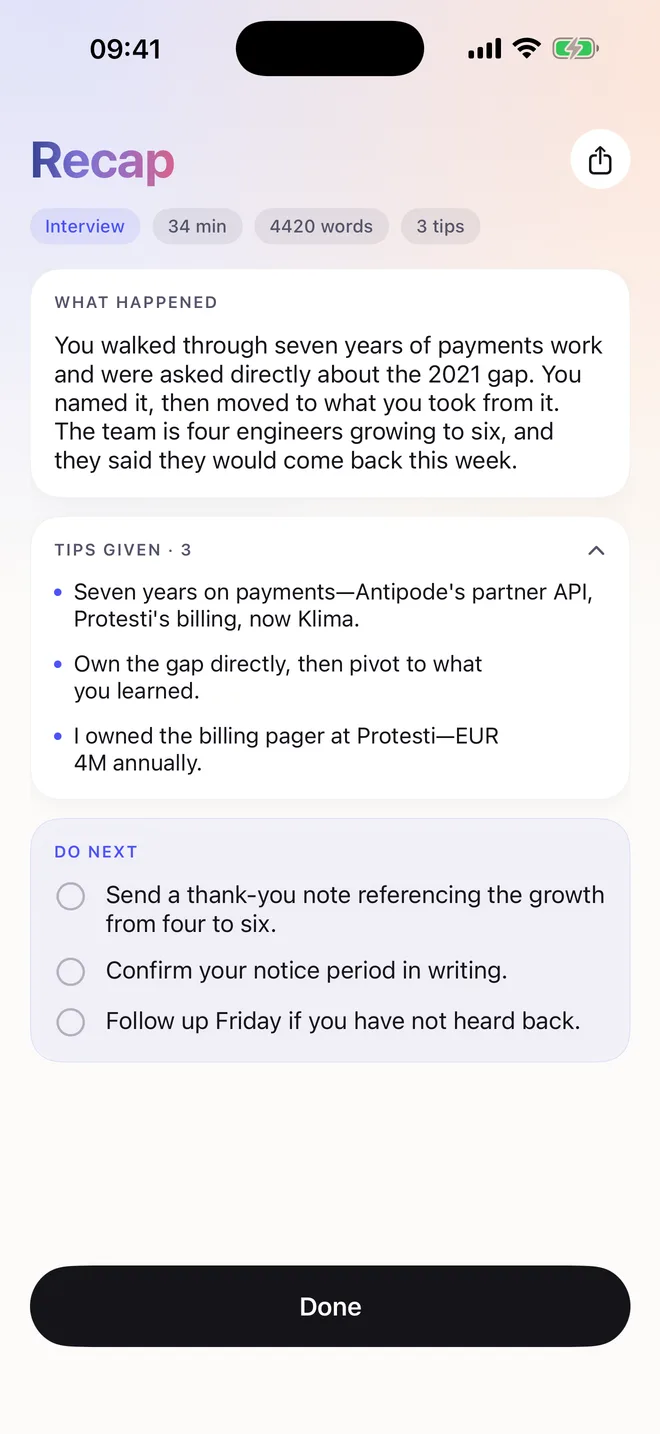
When it ends
What happened, and at most three things to do next — specific to the call, not a list of good intentions.
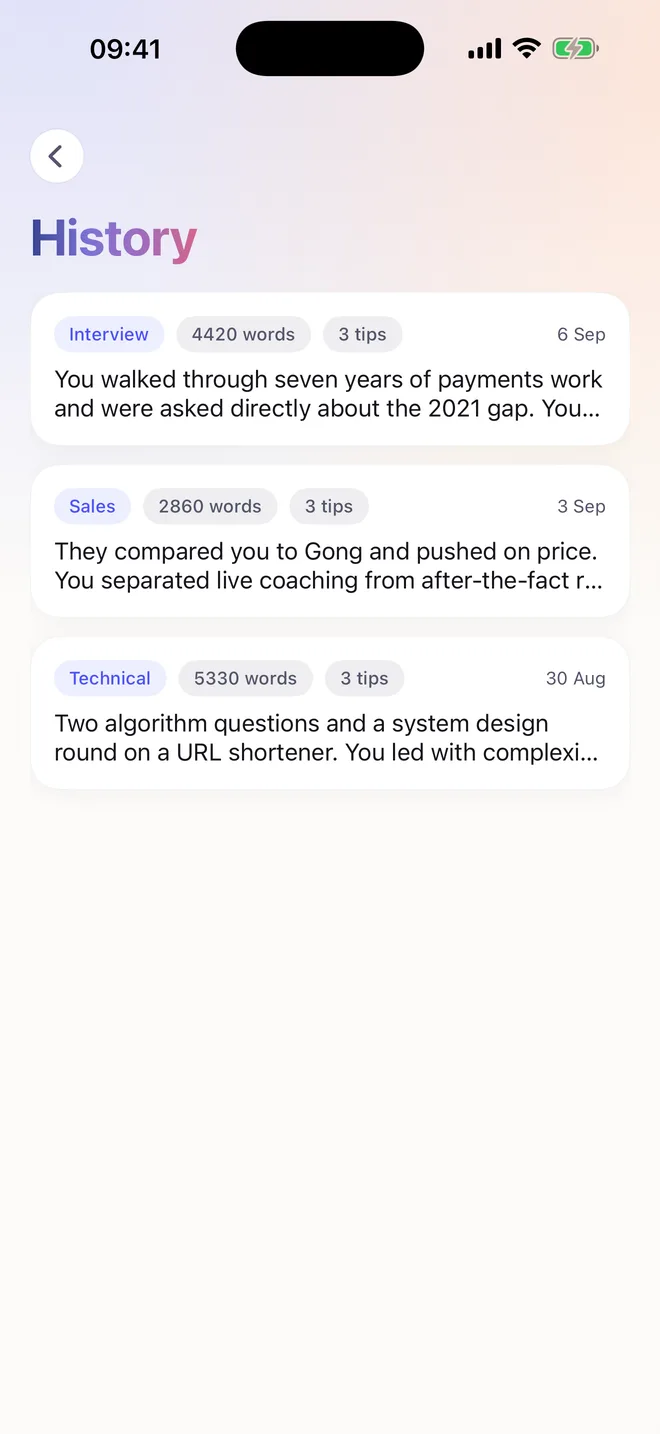
Afterwards
Every call you have had, with its recap. The transcript is not kept — it goes as soon as the recap is written.
Privacy
Surfbird listens through the microphone and turns speech into text on the device. Only that text is sent — to write your tips, and to keep the recap you can read afterwards.
Apple's on-device speech recognition does the listening. No audio is uploaded, streamed or stored — not by us, not by anyone.
No bot in the meeting, no participant to admit, no recording notice. Surfbird is a device on your desk, not a guest on the call.
Attach your CV before an interview, or your pitch and price list before a sales call. Surfbird reads it once and coaches from it every call after — so a question about the gap on your CV gets an answer that knows what the gap was.
The transcript is dropped the moment your recap is written. What stays is the recap, the tips and any document you attach, saved to your account so you can read a call back later. Delete a call in the app and the recap goes with it — only the fact that a session happened is kept, because that is what your plan counts. Delete a document and nothing of it remains.
It listens only while you have a session open, and the screen shows you it is listening. Nothing runs in the background.
Zoom, Teams, Meet, a plain phone call on speaker — Surfbird never integrates with them, so there is nothing to break when they change.
Setup, honestly
Allow the microphone, put your phone where it will sit, and run the dry run — play a video on your laptop and watch Surfbird pick up the words. You find out it works before a real call, not during one.
One thing to know: it needs to hear the other person, so the call has to be on your laptop speakers rather than headphones.
One prompt, once
Questions
No. There is no bot, no participant to admit, no recording notice and no integration with Zoom, Teams or Meet. Surfbird is a phone sitting on your desk. The people you are talking to see nothing, because there is nothing to see.
Nowhere. Speech is turned into text on your phone using Apple's on-device recognition — the audio is never recorded, stored, uploaded or streamed. Only the text leaves the device.
The file never leaves your phone. Surfbird pulls the text out on the device, sends that, and writes a short summary from it once — your roles, your strongest examples, anything you might be asked to defend. That summary is what it coaches from, so an interviewer's question gets an answer grounded in what you actually did. Delete the document in Settings and both the text and the summary are erased. A scanned PDF with no selectable text will not work.
No. The text is sent to our server while the call runs, because that is what the tips are written from, and it is deleted as soon as your recap is written. The recap and the tips stay, so you can read a call back weeks later — without us holding a word-for-word record of what the other person said. Delete a call in the app and the recap goes too; all that remains is a record that a session took place, which is what your plan is counted against. Signed out, nothing is stored anywhere.
Yes, and it is the one real constraint. Surfbird has to hear the other person, so the call needs to come out of your laptop speakers rather than headphones. At a desk that is usually fine; in an open office it is not.
Yes, if the call is on speaker and your phone is not the one you are calling on — a second phone, or a call taken on your laptop. Surfbird listens to the room, so it does not care what the call is running on.
Early access
Surfbird is finished and in daily use — it is waiting on review. Leave your email and you will hear the day it is out, and not before.
One email when it launches. Nothing else, and no sharing it.
Your first thirty minutes are free. Setup takes two minutes and you'll know it works before it matters.
Get early accessiPhone · iOS 17 or later
